Manage a sports team Manage a sports team
Minimum version: FirstClass 8.3
Audience: Teachers/Coaches
Experience: 
FirstClass applications used:
 Calendars Calendars
Conferencing
Documents
 Summary Summary
Want to manage your sports team easily and minimize the paperwork? Use a FirstClass conference. Create documents listing team members, scores, equipment requirements, signup sheets, contact information, and so on. Use a FirstClass calendar to post games and practices.
Example
Stephen Carlton is the high school football coach at Avalon Academy. He uses a FirstClass conference to manage his football team.
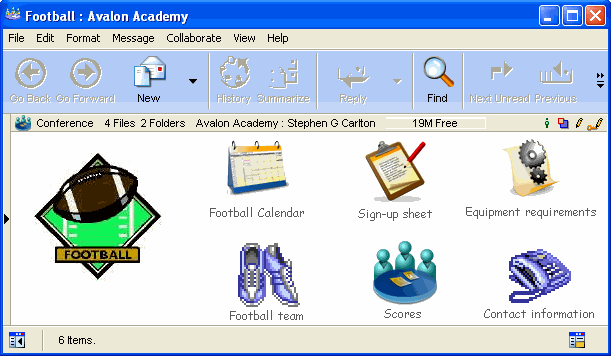
His conference contains the following:• a calendar to post games and practices
• a stationery document for students to sign up
• a document listing team members and the positions they play
• a document listing contact information for the coach and supporting staff
• a document listing equipment requirements for the players
• a subconference called Scores, which contains documents giving a summary of each game.
The newspaper staff uses this subconference to gather information for their sports section.
The conference is in a public location where all students can access it. This lets interested students see what is involved and see when practices and games are held so they can attend.
The coach has Controller permission so he can post and update information. Students are given Contributor permissions at the main conference level, and then Read only permissions for each of the subconferences. This allows students to access and forward the sign up sheet.
This is what the permissions look like for each of the subconferences.

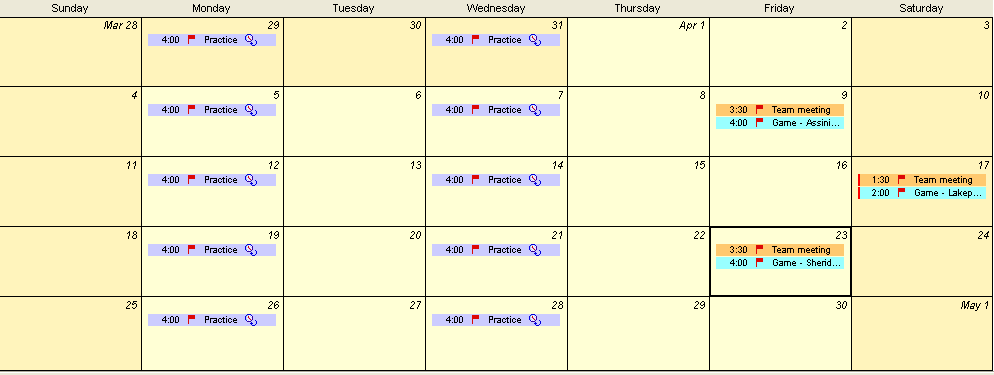
Let's look at some of the items in this conference. This is the group calendar the coach uses to post games and practices.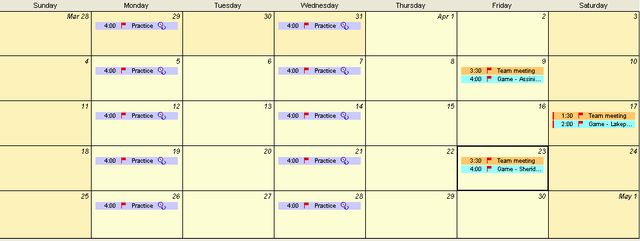
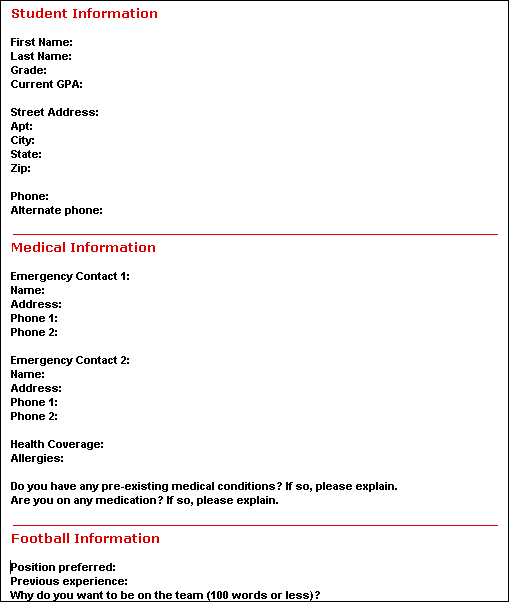
This is the sign up sheet that interested students can complete and forward to the coach. It is a stationery form that is preaddressed to him.
 Tip TipTo make the document a stationery form, check the Stationery checkbox on the Properties form. You can also preaddress the form for your users by enter the desired username, conference name or email address in the To field.
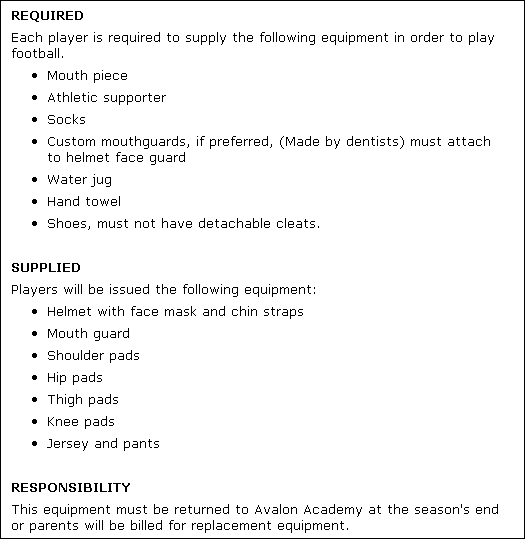
This document lists the equipment that students require.
|