[ fcp://@fc.onlinehelp.com,%237600229/En/OnlineHelp/Web%20Help/LW2 ]Contents [ fcp://@fc.onlinehelp.com,%237600229/En/OnlineHelp/Web%20Help/LW31 ][Image:81203_43854_21.png][ fcp://@fc.onlinehelp.com,%237600229/En/OnlineHelp/Web%20Help/LW42 ][Image:81203_43840_19.png] [Marker][ fcp://@fc.onlinehelp.com,%237600229/En/OnlineHelp/Web%20Help/LW32#The reading pane ]The reading pane [ fcp://@fc.onlinehelp.com,%237600229/En/OnlineHelp/Web%20Help/LW32#Opening the reading pane ]Opening the reading pane --------------- [Marker]The reading pane When the reading [ fcp://@fc.onlinehelp.com,%237600229/En/OnlineHelp/Definitions/L2018 ]pane is open, it is displayed under or to the right of the main pane. The reading pane displays the contents of any object selected in the main pane. For example, a selected message or document opens in this pane. You can work with objects in the reading pane just as you do when they are opened in the main pane. [ fcp://@fc.onlinehelp.com,%237600229/En/OnlineHelp/Web%20Help/LW32#Top ]Top --------------- [Marker]Opening the reading pane To open the reading pane, click this button: [Image:892006_13851_0.png] This button is only visible if you have the navigation pane open. It [ fcp://@fc.onlinehelp.com,%237600229/En/OnlineHelp/Definitions/L2035 ]toggles through three states. To move the reading pane to the right of the main pane, click this button again. To close the reading pane, click this button a third time. [ fcp://@fc.onlinehelp.com,%237600229/En/OnlineHelp/Web%20Help/LW32#Top ]Top
   
LC11
 
 
Home  •  Help  •  Client help  •  LC11
How to tell who is online


How to tell who is online
All names in bold are currently connected to your server.
81203_42521_14.png        Note
Names in italics won't accept instant message invitations.
You can also see a list of users who are online by choosing Collaborate > Who's Online.
To jump directly to the first name in the Who's Online list that begins with a particular letter, type that letter. You can also type a user's first name to jump directly to the first occurrence of that name.
You can do the same things from the Who's Online list, such as sending a message to a user, as you can do from the
Directory.
Top


Hiding your presence
If you don't want everyone to know when you are online, you can limit who is able to see this information. To do this, choose the group of users for whom you want to show your presence at "Show presence to" in your preferences.
When you are online, users in the groups not selected at "Show presence to" won't see your name in bold, and you won't appear in their Who's Online list.
81203_42521_14.png        Exceptions
Your administrator can always tell when you are online.
If a show presence preference has been set for your user group, that will override any choice you make.


Seeing who has a container open
Icons on a container's summary bar indicate whether other users have the container open. To see a list of who has the container open, click the icons:
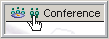
6102004_51113_0.png
From the list, you can do the same things as you can from the Directory.
Top